Who Can See My Activity on Instagram?
Most of what you do on Instagram is invisible to other people, but 3 things are not. Your likes and comments surface in the Reels Friends tab, your Story views are named for 24 hours, and the green dot shows when you are online.
Everything else — profile visits, searches, screenshots — leaves nothing.
The balance shifted in August 2025, when Instagram built a whole tab out of what your friends engage with. Any answer to who can see my activity on Instagram written before that date describes a quieter app than the one on your phone.
The activity visibility matrix
Fifteen things you do, and who sees each one. This table is the short answer to who can see my activity on Instagram: the middle column names the audience, and the third says whether a setting exists for it.
| What you do | Who sees it | Control |
|---|---|---|
| Like or comment on a Reel | Friends, in the Friends tab | Yes — can be hidden |
| Repost something | Friends, in the Friends tab | Yes — same setting |
| Like a feed post | Anyone who opens that post's like list | No |
| View a Story | The owner, for 24 hours | No |
| View a Highlight under 48 hours old | The owner | No |
| Be online in DMs | People you chat with | Yes — activity status |
| Share your location on the Map | Only if you switch it on | Off by default |
| View a profile | Nobody | n/a |
| Search for an account | Nobody | n/a |
| Screenshot a post or Story | Nobody | n/a |
| Screenshot a vanish-mode or view-once DM | The sender | No |
| Follow someone | Them, and your followers | No |
| Unfollow someone | Only if they check their list | No |
| Save a post | Nobody | n/a |
| Block someone | Nobody — no notification | n/a |
Seven of the 15 rows reach nobody at all. One pattern explains them: Instagram attributes what you press and ignores what you read.
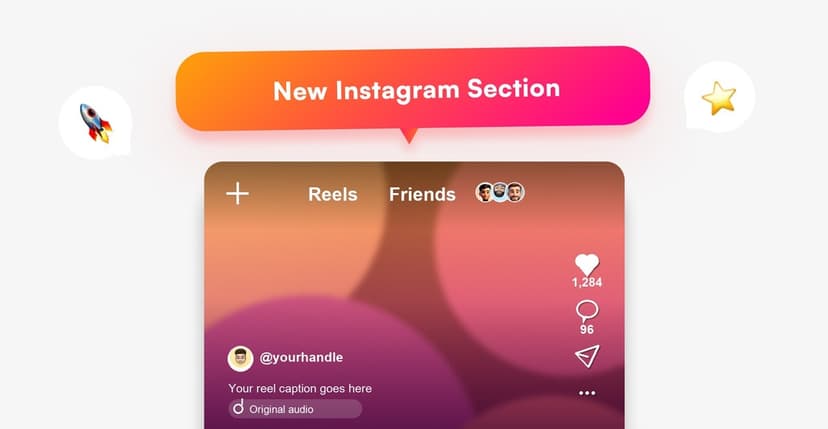
What is the Friends tab, and what does it show?
A feed of your friends' engagement, sitting at the top of Reels. It shows public Reels the accounts you follow have liked, commented on, reposted or created, and it launched in the US before going global in August 2025.
The Friends tab is the largest change to activity visibility since Instagram removed the Following activity tab in October 2019. That older feature exposed likes across the whole app, and Instagram killed it because it surprised people. The Friends tab revives a narrower version, this time with controls.
Feed likes work differently and always carried one kind of exposure: anyone can open the like list on a post. August 2025 changed only whether Instagram pushes those likes to your friends, which is covered in can someone see what you liked.
How do you hide your activity?
Four switches, in the order that removes the most exposure first. Instagram leaves all 4 alone until you touch them, and 2 of them cut both ways.
Step 1: Hide your likes, comments and reposts from the Friends tab
Instagram ships a control for exactly this. Opt out and your engagement stops appearing in other people's Friends tab, while your own tab keeps working.
Step 2: Mute activity bubbles from specific people
The reverse control, for when the problem is what you see rather than what you reveal. Mute the likes, comments and reposts of individual accounts you follow, without unfollowing them.
Step 3: Turn off activity status
The green dot is mutual, which is the part people miss. Switching it off hides when you are online and also stops you seeing anybody else's — the details are in activity status.
Step 4: Leave the Map alone
Location sharing on the Instagram Map is off unless you enable it, and it updates only when you open the app rather than continuously. Live location in a DM is a separate thing and runs for up to 1 hour.
What stays private no matter what?
Five things, and no setting touches them, because Instagram never records them against you in the first place. Profile visits, searches, saved posts, blocks and the posts you scroll past leave nothing for anybody to find.
Repeated visits count as nothing too. No counter sits behind a profile view, so looking once and looking 40 times produce the same evidence — the mechanics are in can someone see if I viewed their profile.
None of this covers your network, either. What a WiFi owner or an employer can observe is a different question with a different answer, in can a WiFi owner see your Instagram activity.
FAQ
The 6 questions below answer who can see my activity on Instagram surface by surface: the Friends tab, the green dot, location, and what stays private under every setting. All answers reflect the app in September 2026.
Who can see my activity on Instagram?
Friends see your Reels likes, comments and reposts in their Friends tab, Story owners see your name for 24 hours, and people you message see the green dot. Nobody sees your profile visits, searches, saves or screenshots.
Can my followers see what I like on Instagram?
On Reels, yes — likes and comments appear in their Friends tab unless you opt out. On feed posts, anyone can open the like list on that specific post.
Does Instagram still show a Following activity feed?
No. Instagram removed the Following activity tab in October 2019. The Friends tab in Reels is a narrower replacement with an opt-out.
Can someone see if I viewed their profile?
No. Instagram records no profile visitors on any account type, so no setting changes it — there is nothing to hide.
Is my location shared on Instagram?
Only if you turned it on. Instagram Map location sharing is off by default and updates when you open the app, not continuously.
Does a private account hide my activity?
A private account limits who sees your posts, not what you do elsewhere. Your likes still reach the Friends tab of people who follow you, and Story viewer lists work the same way.

Track Your Instagram Unfollowers
Discover who stopped following you and optimize your growth strategy with our free tool.
Discover Unfollowers