5 Practical Ways to Use an Instagram Unfollower Tool for Your for Professional and Personal Accounts
We can’t see who unfollowed us on Instagram. Instagram is built to create the most pleasant experience possible. The app deliberately shields users from information that might cause discomfort. It does not show Instagram unfollowers in an account notification list, as it does not show who has hidden their stories from view.
Yet this information exists — and it is genuinely useful.
A follower audit tool allows users to look beyond what Instagram shows. The data it reveals can serve purposes that go far beyond simple curiosity. Below are five concrete ways to use Instagram unfollowers data to real advantage — across both professional and personal contexts.
Why This Information Actually Matters
Instagram Hides It for a Reason
Instagram shares certain data generously within its official app. It provides reach figures, story views, and profile visits. But it deliberately omits other metrics.
The platform never shows who unfollowed an account. It does not show who liked a story, or who stopped receiving content from a particular profile in their feed. Instagram's stated goal is to minimize friction and maintain a positive atmosphere.
This means that Instagram unfollowers remain invisible by default — a silent metric with real-world consequences for anyone who runs an account strategically.
But silence does not mean the information is useless. Follower names, numbers, and departure dates form a genuine dataset. That dataset can be analyzed the same way a professional dashboard analyzes saves or reposts.
How the Tool Actually Works
Safe, Simple, and Password-Free
Before covering the five ways, a quick note on the method — because it matters for trust.
The Instagram unfollower check service is completely safe. It does not require a password or direct account access of any kind. All it needs is a single file, downloaded by the user directly from the official Instagram app.
That file contains only one data category: followers and following. Once uploaded to an unfollower tracker, an automated check runs instantly. Within 30 seconds, a complete list appears — showing who left the account and exactly when.
No magic. Just a system configured to analyze specific data. Confidential, secure, and compliant with Instagram's data policies.
Way 1 — Evaluate the Real Impact of Advertising
For Bloggers Who Run Sponsored Content
First and foremost, follower data analysis is an indispensable tool for bloggers who advertise on Instagram. An advertiser tracks clicks and conversions. But the audience votes differently — with their attention, or with a quiet unfollow.
How to use an Instagram unfollower tracker
With an IG followers analyzer tool, it becomes possible to track specific trends. If a particular ad campaign correlates with a spike in departures, that is actionable information. It matters for the blogger, not only for the brand.
People are genuinely tired of constant advertising. Native formats are gaining ground, but even well-disclosed ads can trigger disengagement. Some bloggers take direct advertising and admit it openly to their audience. They take full responsibility for what they recommend. Yet even honest promotion can cause dislike — or a silent exit.
Tracking Instagram unfollowers after each sponsored post helps evaluate the true audience cost of a partnership. When a small percentage leaves, that is healthy. When numbers spike — that specific post needs review.
For a deeper look at what Instagram tracks and what it doesn't, this guide on who can see your Instagram story screenshots covers the platform's privacy mechanics in detail.
Way 2 — Monitor Audience Reactions to Brand Updates
For Business and Brand Accounts
Brand accounts operate differently from personal profiles. There is no individual face building direct trust. Instead, tone of voice, visual identity, and content philosophy do the relationship-building work.
Changes to any of these carry real risk. A rebranding, a new collection drop, a new ambassador announcement — each can shift how an audience relates to the account.
A follower change analyzer reveals what the comments section never will. The portion of the audience that simply left without saying anything. Silent departures are often more telling than vocal reactions.
How to use an Instagram unfollower tracker
Gradual follower loss on brand accounts tend to happen, in small doses. Manual monitoring at scale is nearly impossible. A social media follower checker makes it possible to measure the real damage caused by a specific account action. Not just the vocal reactions — the quiet exits too.
For any rebranding, the question is worth asking: did the audience accept the change, or did it simply leave? That answer lives in the follower data.
Way 3 — Identify What Caused a Mass Departure After a Viral Moment
For Accounts That Experienced Sudden Growth
Any action that brings a large influx of non-targeted followers creates a downstream problem. A Reel that reached the Explore section. A collaboration with a larger blogger. A guest appearance in another creator's content. All of these bring in audiences who arrived expecting one thing and may receive something else.
When those followers leave, Instagram reads the pattern as a signal. Mass Instagram unfollow events are a negative ranking factor. A spike in departures can reduce visibility. It can reduce placement in recommended and popular sections.
How to use an Instagram unfollower tracker
With a follower audit tool, a creator can identify exactly which content triggered the departure wave. That information has direct content policy implications. Understanding why new visitors left helps refine what should be produced to retain them — or informs the decision to stop chasing a non-core audience altogether.
The insight can go even further. It may change the entire philosophy of the information shared on an account. Not just the format — but the voice, the consistency, and the promise made to the audience with every post.
Note: To analyze a specific period, select a custom date range when requesting the data export. Last month, last three months, or a specific date range — all are available from the official Instagram export.
Way 4 — Find Out Who No Longer Wants to Follow Your Life
For Personal Accounts — The Most Common Use Case
Even a personal Instagram profile is, in some sense, a personal brand. What a person chooses to share reflects a real part of their life. The number of people who follow that life — and who quietly stop — says something worth knowing.
This is the most popular reason people search for information on Instagram unfollowers: the personal one. The natural desire to know who stepped away. Who decided, at some point, that the content being shared no longer interested them.

That information is not always comfortable. But it is honest. And honesty tends to be more useful than an artificially smooth feed with no friction.
How to use an Instagram unfollower tracker
Understanding what others can and cannot see on Instagram extends beyond unfollowers alone. Knowing who can see Instagram story screenshots is part of the same broader picture of social media self-awareness.
Way 5 — Analyze Follower Reactions After a Long Absence
For Personal Accounts — The More Useful (and Underused) Application
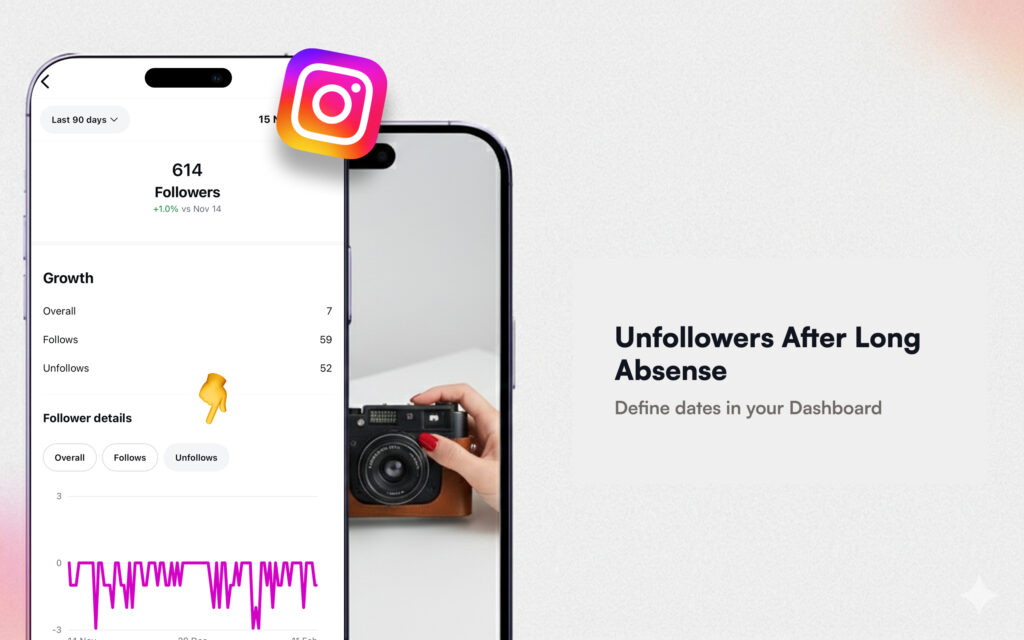
Personal Instagram profiles are often run without a schedule — until something significant happens. A family celebration, an anniversary, a milestone moment. After months of silence, followers forget about that account. Then, when someone suddenly posts 25 stories in a single day after a year of silence, the reaction can be immediate.
How to use an Instagram unfollower tracker
People who were not expecting a flood of content from a dormant account will sometimes unfollow at once. The content fills the entire feed. For some, that is simply too much. They are not used to seeing that profile, and the sudden volume is enough to push them to leave.
With a follower audit, identifying who left after that surge takes seconds. Without a tool, tracking more than five departures manually is nearly impossible. With one, the names become visible — and so does the pattern.
And most often, those who leave after a positive life event reveal something real about the nature of that connection. The people who stay — who react, engage, and feel genuine warmth — are the ones who were always worth knowing.
How to Check Instagram Unfollowers in 10 Minutes
Step-by-Step Guide for First-Time Users
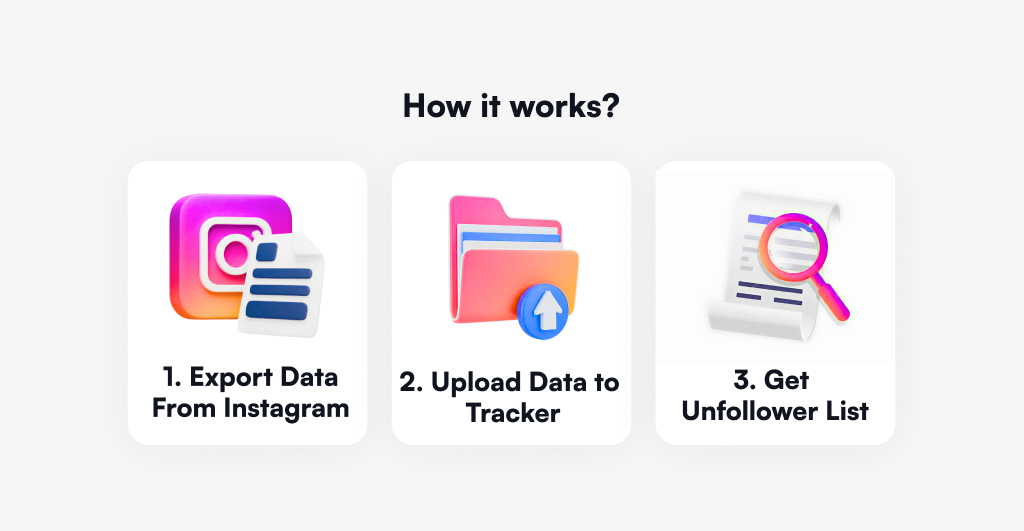
Step 1. Open Instagram → Profile → Menu → "Your Activity" → "Download Your Information."
Step 2. Select "Followers and Following" → Format: JSON → All time → "Create Files."
Step 3. Wait for an email with the subject: "Your Instagram data is ready to download."
Step 4. Open the email and click "Download Your Information." Confirm the account. The ZIP file downloads automatically.
Step 5. Upload the ZIP file to a free unfollower tracker — no login or password is required at any stage.
Step 6. Review the results: who left the account, and when.
The entire process takes under 10 minutes. To check who unfollowed you on Instagram for free, the only requirement is the official data export file. No third-party access to the account is involved at any point.
Conclusion
This is a multifunctional service. It works not only with follower counts and departure dates — it offers a deeper understanding of how an account interacts with its audience. Who surrounds it. What they respond to. What they silently reject.
A handful of data points — names, numbers, dates — can be analyzed the same way a professional analytics dashboard is used. These metrics matter whether the account is a personal photo journal or a large brand profile.
Instagram unfollowers are not just a number going down. They are information. Use them accordingly.

Track Your Instagram Unfollowers
Discover who stopped following you and optimize your growth strategy with our free tool.
Discover Unfollowers