Can You See Who Screenshots Your Instagram Story? Privacy Facts 2026
No — Instagram does not notify you when someone screenshots your Story. This has been the case since 2018, when Instagram discontinued a brief test of screenshot alerts after negative user feedback. The only exception in 2026 is disappearing content in Direct Messages: View Once photos, View Once videos, and Vanish Mode chats. Everything else — regular Stories, Close Friends Stories, Highlights, posts, Reels, and profiles — can be screenshotted silently.
The question "can you see who screenshots your Instagram Story?" ranks among the most searched Instagram privacy queries every year. The confusion persists because Instagram did briefly test screenshot notifications, and because some third-party apps falsely claim to offer this feature.
This guide covers exactly what Instagram tracks in 2026, what it does not, and what you can actually do to control who sees your content in the first place.
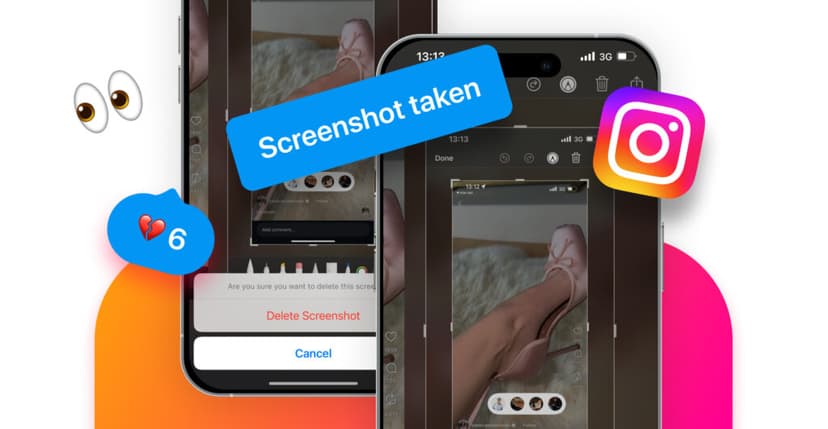
What Instagram notifies about — and what it doesn't
Before diving into details, here is the complete notification matrix for every content type on Instagram.
| Content type | Screenshot notification | Screen recording notification |
|---|---|---|
| Regular Stories (24-hour posts) | No | No |
| Close Friends Stories | No | No |
| Story Highlights | No | No |
| Feed posts (photos, carousels) | No | No |
| Reels | No | No |
| Profile pages and bios | No | No |
| Regular Direct Messages (text) | No | No |
| View Once photos in DMs | Yes | Yes |
| View Once videos in DMs | Yes | Yes |
| Vanish Mode messages | Yes | Yes |
The pattern is straightforward: permanent content is never tracked. Only ephemeral DM content — designed to disappear after viewing — triggers a notification.
The 2018 screenshot notification test: what actually happened
Instagram tested Story screenshot notifications for approximately four months in early 2018 (February through June). During the test, a small camera shutter icon appeared next to a viewer's username in the "Seen by" list when they took a screenshot.
The test ended because of overwhelmingly negative user feedback. Users reported feeling surveilled, and many stopped engaging with Stories entirely — which hurt Instagram's core metric of daily active engagement.
| Timeline | Event |
|---|---|
| February 2018 | Instagram begins testing screenshot notifications for Stories |
| February–June 2018 | A small camera icon appears next to screenshotters in "Seen by" lists |
| June 2018 | Instagram discontinues the feature citing user feedback |
| 2019–2025 | No further tests of screenshot notifications |
| 2026 | Stories remain completely untracked for screenshots |
Since June 2018, Instagram has not revisited this feature for Stories. The current privacy boundary — notifications only for disappearing DM content — has been stable for over eight years.
View Once and Vanish Mode: the exceptions explained
These two DM features are the only place where Instagram tracks screenshots. Understanding how they work prevents accidental notifications.
View Once messages
View Once is a setting you apply when sending a photo or video in Direct Messages. The recipient can view the content once (or twice with "Allow Replay"), and then it disappears permanently.
When someone screenshots or screen-records a View Once message:
- The sender receives an immediate push notification.
- A small "screenshot taken" icon appears in the chat thread.
- The notification cannot be disabled by either party.
Vanish Mode
Vanish Mode makes an entire DM conversation ephemeral. All messages — text, photos, videos, GIFs, stickers — disappear when both users leave the chat.
Screenshot behavior in Vanish Mode mirrors View Once: the sender is notified immediately, and there is no way to prevent the alert.
| Feature | How to activate | What disappears | Screenshot notification |
|---|---|---|---|
| View Once | Toggle when sending a photo/video in DMs | That single photo or video | Yes — sender notified immediately |
| Vanish Mode | Swipe up in an existing DM thread | All messages after activation | Yes — sender notified immediately |
| Regular DMs | Default | Nothing — messages persist | No |
Did You Know? The Vanish Mode screenshot notification works even if the screenshotter's phone is in airplane mode. Instagram queues the notification and delivers it when the device reconnects. There is no reliable way to bypass this alert.
Why people screenshot Instagram Stories
Understanding screenshot motivation helps put the privacy concern in context. Most screenshots are mundane — not malicious.
Saving useful content
The most common reason by far. Someone shares a recipe, a workout routine, a book recommendation, an address, or a discount code in their Story. Screenshotting is faster than trying to remember it.
Instagram added a "Save" feature for posts, but Stories still have no native save-to-collection option (unless you add them to your own Highlights). Screenshotting fills that gap.
Sharing with someone who does not follow the account
A friend sees something interesting in your Story and wants to show it to someone else. Rather than asking the second person to follow your account and check your Story, they take a screenshot and send it directly.
This is especially common with private accounts, where the content is not accessible to non-followers.
Monitoring competitors or industry peers
Brands, content creators, and marketers routinely screenshot competitor Stories to track campaign ideas, pricing, promotional calendars, and content strategies. This is standard competitive research.
Preserving something expected to disappear
Stories vanish after 24 hours. If someone suspects the poster will delete a Story early — or if the content itself is time-sensitive (a flash sale, an event lineup) — screenshotting preserves the information.
Uncommon: gathering evidence
In a small minority of cases, screenshots are taken for documentation purposes — capturing harassment, policy violations, or content that may be deleted to avoid accountability. This use is rare but significant from a safety perspective.
What you CAN see: Instagram Story viewer analytics
While Instagram hides screenshot activity, it does provide a full viewer list for Stories within their 24-hour window.
How to check who viewed your Story
- Open the Story you want to check.
- Swipe up (or tap the viewer icon in the bottom-left corner).
- Review the complete list of usernames.
- Check within 24 hours — the viewer list disappears after the Story expires.
What the viewer list tells you
| Data point | Available | Notes |
|---|---|---|
| Who viewed | Yes | Full username list, ordered by interaction signals |
| Total view count | Yes | Displayed at the bottom of the viewer list |
| Exact time each person viewed | No | Instagram shows the list but not individual timestamps |
| Whether someone rewatched | No | Multiple views count as one in the viewer list |
| Whether someone screenshotted | No | Not tracked since June 2018 |
| Whether someone screen-recorded | No | Never tracked for Stories |
The viewer list order is not chronological. Instagram ranks viewers based on your interaction history with each account — profiles you engage with most appear near the top.
Viewer analytics for business and creator accounts
Professional accounts get additional metrics under "Story Insights," including reach, impressions, forward taps, back taps, exits, and replies. None of these metrics reveal screenshot activity.
Third-party apps that claim to detect screenshots: why they are fake
Some apps on the App Store and Google Play claim they can tell you who screenshots your Instagram Stories. Every single one of these claims is false.
Why detection is technically impossible
Instagram's API does not expose screenshot data. It never has — not even during the 2018 notification test, which was handled server-side inside Instagram's own app. No third-party developer can access this information, regardless of what permissions they request.
Risks of using these apps
| Risk | What happens |
|---|---|
| Credential theft | The app asks for your Instagram login to "connect," then steals your password |
| Account suspension | Instagram detects unauthorized API access and restricts your account |
| Data harvesting | Your follower list, DMs, and personal data are scraped and sold |
| Malware | The app installs tracking software or adware on your device |
| Financial fraud | Premium "screenshot tracker" subscriptions charge your card for a service that cannot work |
If an app or website promises to show you who screenshots your Stories, it is either a scam, a data harvester, or both. No exception.
How to protect your Instagram Story privacy in 2026
Since you cannot detect screenshots after they happen, the better strategy is controlling who can view your Stories in the first place.
Close Friends list
The most effective privacy tool Instagram offers for Stories. Add only people you trust to your Close Friends list, then post sensitive content exclusively to that audience.
- Close Friends Stories show a green ring instead of the standard colored ring.
- The list is private — nobody can see who is or is not on it.
- You can add or remove people at any time without notification.
How to set it up: Profile → Menu (three lines) → Close Friends → search and add accounts.
Hide Stories from specific people
If you want to keep posting to your full audience but exclude certain people:
- Go to Profile → Menu → Settings and Privacy → Story.
- Tap "Hide Story From."
- Select the accounts you want to block from viewing your Stories.
The blocked person will not be notified. They simply will not see your Stories anymore.
Switch to a private account
A private account restricts Story visibility to approved followers only. This is the broadest privacy option — no one can see your Stories unless you have accepted their follow request.
| Privacy method | Scope | Visibility to excluded people | They are notified? |
|---|---|---|---|
| Close Friends | Per-story | Cannot see the Story at all | No |
| Hide Story From | All Stories | Cannot see any of your Stories | No |
| Private account | Entire profile | Cannot see anything unless you approve | No (follow request is sent) |
| Restrict | Interactions | Can view but comments are hidden | No |
Review your followers regularly
Even with perfect privacy settings, the people who are approved to view your content matter. Inactive followers, unfamiliar accounts, and people you no longer want in your audience can still view and screenshot your Stories.
Periodically audit your follower list. Use the Unfollowers Tracker to identify who unfollowed you, who stopped engaging, and how your audience composition has changed over time. This data helps you decide who to remove from your approved audience — especially if you rely on Close Friends or a private account for content protection.
Screen recording vs. screenshots: any difference?
No. Instagram treats screen recordings and screenshots identically across all content types:
- Stories, posts, Reels, profiles → no notification for either.
- View Once DMs and Vanish Mode → notification for both.
Some users believe screen recording is "more private" because it captures video rather than a still image. From Instagram's perspective, the behavior is identical. Both methods are detected in ephemeral DMs and invisible everywhere else.
Frequently Asked Questions
Does Instagram notify when you screenshot a Story?
No. Instagram stopped notifying about Story screenshots in June 2018 after a four-month test. As of 2026, screenshotting any Story — regular, Close Friends, or Highlights — does not trigger any notification.
Does Instagram notify when you screenshot a post or Reel?
No. Feed posts, Reels, carousels, and profile pages can all be screenshotted or screen-recorded without any notification to the content owner.
What about Close Friends Stories — are those tracked differently?
No. Close Friends Stories follow the same rules as regular Stories. No screenshot notification, no screen recording notification. The only difference is the restricted audience.
Does Instagram notify when you screenshot a DM?
Only for disappearing content. Regular text conversations in Direct Messages are not tracked. View Once photos, View Once videos, and Vanish Mode messages all trigger a screenshot notification to the sender.
Can I disable Vanish Mode screenshot notifications?
No. The notification is a built-in privacy feature and cannot be turned off by either the sender or the recipient. This is intentional — the notification is the privacy guarantee that makes disappearing messages trustworthy.
Is there any way to screenshot a View Once message without the sender knowing?
Instagram detects screenshots even if you are offline or in airplane mode. The notification is queued and sent when your device reconnects. There is no reliable method to bypass this within the Instagram app.
Can third-party apps show me who screenshots my Stories?
No. Every app that claims this capability is fraudulent. Instagram's API does not expose screenshot data, so no external tool can access it. These apps typically steal credentials or sell your data.
How can I protect my Story content from being screenshotted?
You cannot prevent screenshots technically, but you can control who sees your content. Use the Close Friends list for sensitive Stories, hide Stories from specific people, or switch to a private account to limit your audience to trusted followers only.
Does Instagram track screenshots of Story Highlights?
No. Highlights are treated the same as regular Stories in terms of screenshot tracking — which means no tracking at all. The only difference is that Highlights do not show a viewer list after the original Story's 24-hour window has passed.
Track who unfollows you and audit your Instagram audience with the Unfollowers Tracker. For anonymous Story viewing, explore the Instagram Story Viewer.
Tags: #instagram screenshots #instagram story privacy #instagram notifications #vanish mode #story viewer

Track Your Instagram Unfollowers
Discover who stopped following you and optimize your growth strategy with our free tool.
Discover Unfollowers