Instagram's Missing Feature: Why You Can't See Who Unfollowed You (And How to Fix It)
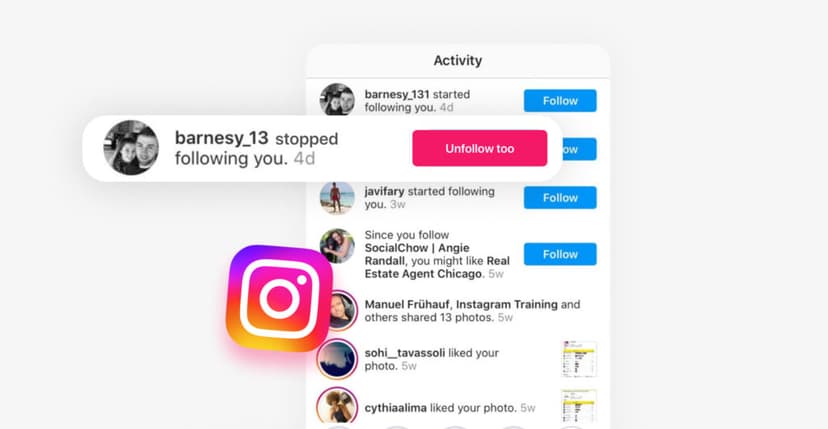
Instagram lacks a feature that allows us to see who has unfollowed our profile. The question is how to see who unfollowed you on Instagram. Instagram has been around for over a decade, but it has never been possible to find out who unfollowed you recently or long ago. Every day, we see the activity tab on our profile showing who is following us, who subscribed to our updates, likes, comment replies, story reactions, and many other features. However, we have never seen any activity in the Instagram tab from those who unfollowed us. Instagram carefully avoids this feature, although it is clearly useful and necessary for many users.
In this article, we'll take a detailed look at why Instagram doesn't show us who has unfollowed us and how to discover this information using safe third-party methods to find out exactly who unfollowed your page and when.
The History: When Instagram Started Hiding Unfollowers
Before 2018, Instagram's API allowed third-party applications to track unfollows and follower changes. Developers could create apps that monitored these metrics in real-time, giving users complete visibility into their audience dynamics.
Then, Meta gradually closed access to this data through API restrictions. The company shut down OAuth access for most third-party applications, effectively ending the era of real-time unfollower tracking. This remains one of the most requested but deliberately missing features on the platform. Despite years of user feedback, Meta has shown no indication of reversing this decision.
Why Instagram Deliberately Hides Who Unfollowed You
Instagram, as a social application, is specifically designed to bring joy to people by constantly stimulating dopamine in their subconscious. Information about who has left your page—meaning someone no longer wants to follow you—can trigger negative thoughts. This person might not be interested in your content anymore, or worse, they might find your life silly or ridiculous. A whole lot of negativity can be read into the simple action of someone unfollowing you.
The Psychology of User Retention
Therefore, Instagram, as an application created for joy and entertainment, deliberately shields users from this information. The platform never provided this information to users precisely to avoid upsetting them and to constantly encourage people to visit Instagram, look at photos, watch advertisements, but never allow them to feel negative emotions from using the app.
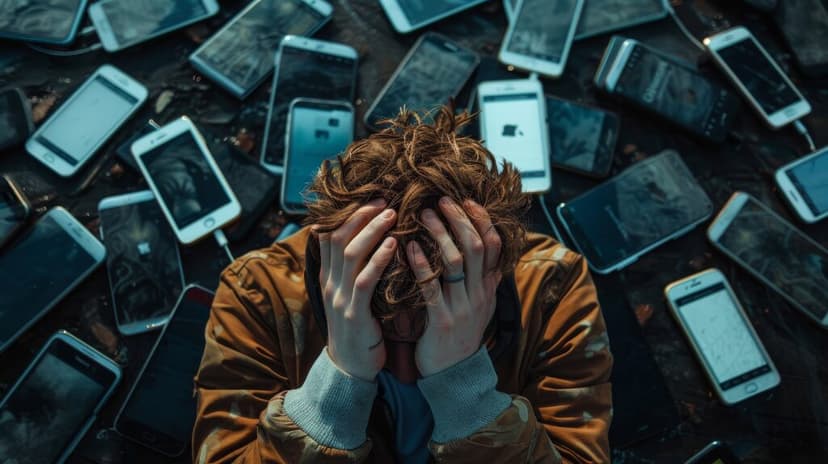
Meta wants to avoid creating anxiety around follower counts and prevent users from becoming obsessed with numbers rather than content quality. By hiding who unfollows you, Instagram pushes users to focus on creating and consuming content rather than monitoring social validation metrics.
Privacy and Platform Safety
Protecting the privacy of users who unfollow is another key consideration. Instagram wants to prevent conflicts, harassment, and confrontations that could arise if unfollows were visible. When someone chooses to unfollow an account, that decision is private, and Instagram respects that choice by not alerting the other party.
This approach reduces toxicity in social interactions. Users can curate their feeds without fear of retaliation or awkward conversations. It creates a safer environment where people feel free to follow and unfollow based on their genuine interests rather than social obligations.
Business Model Considerations
From Instagram's perspective, keeping users engaged and active on the platform is paramount. If users could easily see every unfollow, it might trigger mass "revenge unfollows" or cause users to leave the platform altogether out of frustration. By maintaining high engagement levels and preventing negative emotional spirals, Instagram protects its business model and keeps users scrolling.
Does Instagram Notify You When Someone Unfollows You?
The direct answer is NO—Instagram never sends notifications when someone unfollows you.
What Instagram DOESN'T SHOW:
- Specific names of people who unfollowed you
- When someone unfollowed you
- Unfollower notifications of any kind
Manual Methods to Check Unfollowers (And Why They Don't Work)
The Follower List Search Method
Some users try manually searching through their follower list to find missing accounts. This involves going into your follower list, then searching for a specific username to see if they still follow you.
Limitations:
- Only works if you remember specific usernames
- Completely impractical for accounts with hundreds or thousands of followers
- Extremely time-consuming
- Doesn't show when they unfollowed
- Easy to make mistakes
Instagram Insights for Business Accounts
Business and creator accounts have access to Instagram Insights, which shows follower dynamics over time. However, these analytics only display aggregate trends—total followers gained and lost per day or week.
Instagram Business Insights doesn't reveal specific usernames of people who unfollowed you. It's useful for tracking overall growth patterns but useless for identifying individual unfollowers.
Comparing Screenshots Over Time
Some dedicated users take regular screenshots of their follower lists and manually compare them. While technically possible, this method is:
- Incredibly time-consuming
- Prone to human error
- Requires consistent effort over long periods
- Still doesn't tell you when exactly someone unfollowed
- Completely impractical for active accounts
Third-Party Apps: The Risks You Should Know
Let's start with the fact that often these services are designed to find out who unfollowed you on Instagram ask you to enter confidential data that should belong only to you, such as your login and password. No matter how these services try to explain that they won't use this data for any other purpose except to meet your needs, it's impossible to predict what might happen.
Why Most Unfollower Apps Are Dangerous
Absolutely any service, especially large, well-known services created for such purposes, can be hacked, and thus your data could be transferred to third or even fourth parties without your knowledge and even without the knowledge of the service owners.
Therefore, we strongly advise against entering any login credentials into any services other than the official Instagram platform.
⚠️ WARNING: Never share your Instagram password with third-party apps. No legitimate service requires your password to track unfollowers.
The Safe Alternative To Know Who Unfollowed You: Using Instagram Data Export
What Is Instagram Data Download?
What should you do if you still want to find out who unfollowed you? There are services that do not require any confidential data. These services work with Instagram's official data export feature.
Instagram Data Download is an official Meta feature that allows you to download a complete archive of your account data. This feature was introduced in 2018 as part of GDPR compliance, giving users full access to their information.
The data export includes:
- Complete list of your followers
- Complete list of accounts you're following
- Timeline of when people followed you
- Account activity history
- All in JSON format
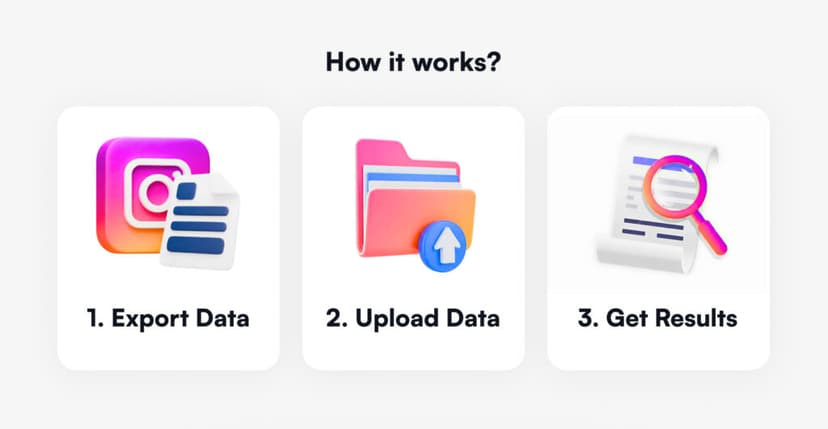
This is a library of activities on your profile—essentially a JSON file containing all the information about who followed and unfollowed you during a certain period of time and nothing else, not even sensitive account information. Here we already have a step-by-step tutorial: How to Download Your Instagram Data.
How to Compare Data to Find Unfollowers
By using Instagram Data, which you download as a file from the original Instagram application, you're essentially transferring the follow and unfollow library to a system that can analyze all the activity on your account.
The problem is that you could open this data library in JSON format yourself and read about who followed and unfollowed you, but this is not practically possible. In JSON format, all activities are presented in the form of code, which is very inconvenient to read manually. Especially if you've had a lot of activity recently, it's almost impossible to do manually because it requires tremendous attention, involvement, and a lot of time.
Tools like Instagram unfollowers trackers analyze your exported data file and show you exactly who unfollowed you, who doesn't follow back, and a detailed timeline of changes—all without requiring your password. It's enough to simply upload it to a specialized service that will quickly do it for you.
How Instagram Data Export Tools Work (The Safe Method)
Why Data Export Tools Are Different
In other words, by using a service such as Unfollowers Tracker, you can find out who unfollowed you and when, bypassing Instagram's lack of this feature, without sharing any of your confidential data.
What You Can See With Data Export Analysis
By uploading your Instagram data ZIP file to unfollower analysis tools, you get a comprehensive report within minutes without compromising your account security. The information is completely reliable and taken directly from your original application data.
Reclaiming Your Data Transparency: Why It Matters
Understanding Your Audience Growth
Why do users need to know who followed and unfollowed them, and when? There are two main reasons:
For branded accounts, bloggers, and public pages: Information about who unfollowed a particular profile and when is necessary for users who own business accounts or creator profiles. In general, it's important for them to know the number of followers and unfollowers to understand how their content affects their popularity on Instagram.
Identifying patterns in unfollows helps you:
- Determine which content causes people to unfollow
- Optimize your content strategy based on real data
- Understand what resonates with your audience
- Clean out inactive followers to improve engagement rates
Professional Account Management
For personal profile users: Many Instagram users with personal profiles carefully monitor their social connections and want to know specifically what and when could have influenced certain people to leave their profile. For example, you might want to track which friend unfollowed you and why, or perhaps a former partner unfollowed you—analyzing it can help you understand the reasons.
For businesses and influencers, understanding your audience is critical:
- Track ROI of marketing campaigns by monitoring follower changes
- Identify bots and fake accounts diluting your engagement
- Maintain authentic engagement rates
- Make data-driven decisions about content and partnerships
FAQ
Can you see who unfollowed you on Instagram without an app?
Instagram doesn't provide a native way to see unfollowers. The safest method is downloading your Instagram data (followers & following lists) and comparing them manually or using data analysis tools that don't require your password. These tools work with your official Instagram data export, keeping your account completely secure.
Are Instagram unfollower apps safe?
Most apps that ask for your Instagram login credentials are risky. They violate Instagram's Terms of Service and can lead to account suspension, hacking, or data theft. Only use tools that work with your official Instagram data export, which don't require password access. Never enter your Instagram password into third-party services.
How often does Instagram let you download your data?
You can request your Instagram data as often as you want, but there may be a waiting period (usually 5-15 minutes) between receiving each export. For tracking unfollowers, monthly downloads are recommended to monitor trends without becoming obsessive about daily fluctuations.
The Bottom Line
Thus, we conclude that it is possible to find out who has unfollowed you on Instagram, even though Instagram itself does not provide this feature. It is possible to do so without violating community rules and without sharing any confidential data with any services.
Instagram deliberately hides unfollower information to create a more positive user experience and reduce social media anxiety. Meta removed API access to this data between 2018-2020, making real-time third-party tracking apps obsolete and often dangerous.
If you want to safely discover who unfollowed you without risking your account, start by downloading your Instagram data and using secure analysis tools that respect your privacy. Your Instagram data belongs to you—reclaim transparency on your own terms.
Track Your Instagram Unfollowers
Discover who stopped following you and optimize your growth strategy with our free tool.
Discover Unfollowers