What to Do When a Friend Unfollows You
Check before deciding anything. A friend unfollowed me on Instagram is the conclusion people reach from a follower count, and 3 ordinary causes produce the same count: a feed clean-out, a deactivated account, and Instagram removing accounts on its own.
None of them is a message.
Once you know what happened, the decision is about the friendship rather than about the app. Every option below is silent — Instagram notifies nobody, whatever you choose.
What are your options, and what does each do?
Five responses, and what the app actually does with each one. Nothing in the right-hand column reaches the other person, which is the part that makes this a decision about the friendship rather than about Instagram.
| What you do | What Instagram does | Do they find out |
|---|---|---|
| Nothing | Nothing | No |
| Check whether they unfollowed | Nothing | No |
| Unfollow them back | Removes them from your list | Only if they look |
| Mute them | Hides their posts from you | No, never |
| Ask them about it | Nothing — that is a conversation | Yes, obviously |
The 4th row is the one people forget exists. Muting keeps the follow in place and removes the content from your feed, which is the option for wanting distance without making a statement.
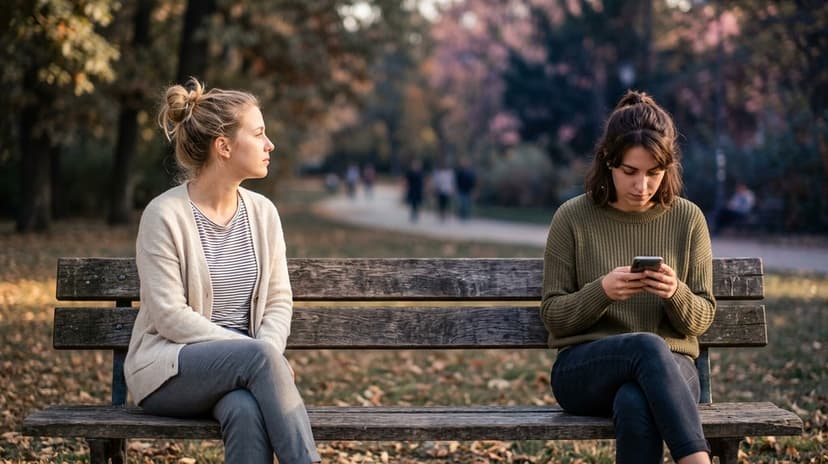
Should you say something?
No rule exists, and the app gives you nothing to base one on. Instagram records no reason for an unfollow, so the question reduces to whether this is a person you would ask about anything else that puzzled you.
Two things are worth knowing before you decide. Unfollows happen in batches — people clear a crowded feed and the accounts that go are usually the ones they interact with least, not the ones they think about most. And the timing rarely means what it looks like, because somebody can act today on a decision made months ago. The general pattern is in why people unfollow on Instagram.
Step 1: Confirm it actually happened
Open their profile and look under the username for the Follows you badge. Its absence is the first real evidence you have, and looking sends them nothing.
Search your own Followers list for their username to be certain. The full set of checks, including how to tell an unfollow from a block, is in how to check if someone still follows you.
Searching by hand works until the list gets long: Veilanto’s unfollowers tracker reads the whole of it at once and names who is no longer there, which is the same check without the scrolling.
Step 2: Rule out the causes that are not about you
A deactivated account disappears for everybody at once, so a profile that is gone rather than merely unfollowed means nothing happened between the 2 of you. The account owner stepped away from Instagram, not from you.
Check the timing against the platform, too. Meta removed millions of bot and dormant accounts across 6–7 May 2026, and a count that moved that week moved for that reason. If several people vanished at once, it was not personal.
Step 3: Decide, then stop checking
Pick 1 of the 5 options above and act on it. Re-checking a profile daily is the part that does damage, and it produces no new information — Instagram records no history, so the answer tomorrow is the same as today.
If it keeps pulling at you, that is worth its own attention rather than another look at the app — how unfollows affect mental health covers that side.
Will they know if you unfollow back?
No notification is sent. Their follower count drops by 1 and nothing else happens, so they find out only by opening your profile and noticing the button changed — the same way you found out.
Muting sends even less. It is invisible by design, reversible at any time, and the person stays a follower throughout.
If the question is why rather than what to do, why did he unfollow me separates the causes you can act on from the ones you cannot.
FAQ
The 5 questions below cover how to check, how to decide, and what any of it reaches the other person. All answers reflect Instagram's behaviour in September 2026.
Does Instagram tell someone when you unfollow them?
No. There is no notification and no list. Their follower count changes and nothing else does.
Should I unfollow a friend who unfollowed me?
Instagram has no answer to that. It is silent either way, so decide on the friendship rather than on what the app will do.
How do I know if a friend unfollowed me or deactivated?
A deactivated account vanishes for everyone, including in a logged-out browser. An unfollow leaves the profile normal with a Follow button.
Can they tell I checked their profile?
No. Instagram keeps no profile-visitor list on any account type, so checking is invisible.
Is muting better than unfollowing back?
It is quieter. Muting removes their posts from your feed, keeps the follow in place, and is never visible to them.

Track Your Instagram Unfollowers
Discover who stopped following you and optimize your growth strategy with our free tool.
Discover Unfollowers